


You know it yourself: colors sometimes connect with our emotions, making us want to spend more time on a website.
Whether you are designing a new site or reconsidering your existing website’s palette, this article will help you choose an appropriate color scheme. We will introduce the best colors for website design and help you find one that matches your site’s unique personality and style.

Why do website colors matter?
Have you ever noticed that almost every restaurant or fast-food business uses red and yellow in its logo?
These two colors are staples in restaurant logos because they stimulate the viewer’s appetite. Orange also conveys fun and friendliness, blue suggests trustworthiness, and green represents freshness and nature, while black is used to express luxury or elegance.
The point of all this is that color is an influential component of branding. There is a great deal behind color psychology: colors can trigger particular emotions in viewers. Color is therefore precisely what brands need to focus on.
You may think colors do not affect you, but you would be surprised by the difference color choices can make to sales and to brands’ relationships with their audiences. In fact, 85 percent of people said that color strongly influences their purchases.
When some companies tested and changed their button colors, they noticed sharp increases or decreases in visitor-to-customer conversion rates. For example, Beamax, a projection-screen manufacturer, found a 53.1 percent increase in clicks on red links compared with blue ones.
Of course, this is not just about clicking colored links. A study of the psychological impact of colors found that, on average, brand recognition increases by 80% through color. Think of Coca-Cola, for example, and its bright red cans probably come to mind.
Despite all this, do not assume red is king: there is no firm rule. If your site is predominantly red, a red call to action will not stand out or attract much attention. You therefore need to experiment with colors until you find the right combination.
How do you choose a color scheme for your website?
Now that you know how important colors are to your brand and your visitors’ satisfaction, let us look at what you should consider when deciding on colors.
First, you need a good understanding of what you sell or the service you provide. If you want to present a higher-quality image, purple is useful because people associate it with grandeur, high quality, and appeal.
However, if you want to reach a wider audience, blue is a calming, gentle color suitable for more sensitive subjects such as healthcare or finance.
Choose your primary color
The best way to decide on your website’s primary color is to think about the mood of your products or services and select colors that fit it until you find one with impact. Let us discuss some of the most widely used colors favored by famous brands.
- Red: the color of Coca-Cola and KitKat, suggesting excitement or happiness.
- Orange: the color of Nickelodeon and Fanta, suggesting friendly, fun moments ahead.
- Yellow: the color of Nikon and McDonald’s, suggesting optimism and happiness.
- Green: the color of Whole Foods and Animal Planet, suggesting nature’s freshness and vitality.
- Blue: the color of Walmart and American Express, suggesting reliability.
- Purple: the color of Hallmark and Cadbury, suggesting a distinctive brand with established quality.
- Brown: the color of Hallmark and Cadbury, presenting a credible product that anyone can use.
- Black: the color of Chanel and Adidas, suggesting luxury or elegance.
- White: the color of Apple and Nike, suggesting stylish, appealing products.
If you already have a colored logo, it makes sense to choose a website color that matches your existing branding. KitKat, for example, is known for red, which is also visible on its homepage.

Choose your secondary colors
Once you have considered and chosen a primary color, move on to other colors that can support the website design as secondary colors. A good starting point is to consider colors that complement one another. Every color has a counterpart that complements it, and when used together they create an attractive combination.
For example, a red circle on a green background attracts more attention than a blue circle on a green background. But a blue circle on an orange background looks much better and clearer. Would you agree?
So if your website’s primary color is green, it is a good idea to use red for calls to action, or use red to highlight important features that you want to catch every reader’s eye.
Also, try to use only one or two colors alongside your primary color. More than that will make your website’s color scheme disorganized. In other words, if you overwhelm visitors’ eyes with different color stimuli, nothing will stand out properly and the website will lose its impact.
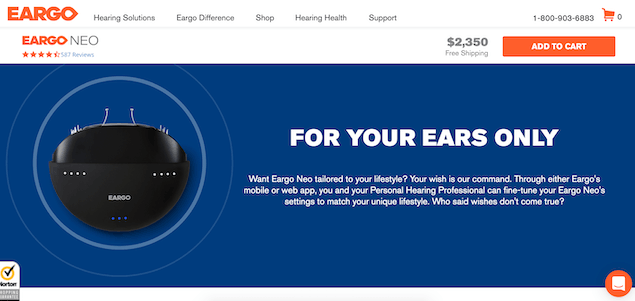
Eargo is a good example of how secondary colors can be used alongside a primary color. As you can see in the image above, its primary color is orange, so it uses dark blue to highlight this important part of its website. If you consider complementary colors, you will see how strongly this dark blue and light orange contrast with one another. The color orange also makes important elements such as the “Add to cart” icon and the logo more visible.
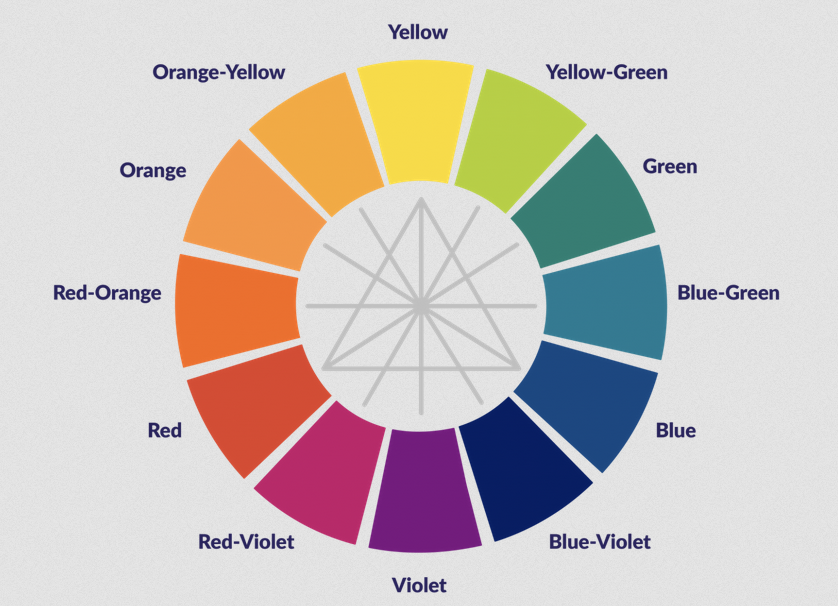
Looking at the color wheel helps you find colors that work more effectively together. Complementary colors are directly opposite each other, and the three primary colors occupy the points of a triangle.
Choose a background color
Choosing a background color is an important decision because, in theory, your website’s background occupies more space than any other color. However, it is an easy choice, because it really comes down to two options.
To unify your branding, you can use a softer version of the primary color for the website background, with a white or gray overlay to display text.
Alternatively, you can design the entire website in off-white or grayish white, a very commonly used approach.
Choose a font color
The last step in your colorful website design journey is choosing a font color. You might take the easy route and choose black, but a search online will show that black lettering is not as popular as you might think. Why?
Black lettering on a white background can cause eye strain because the two have total contrast. If visitors find your website hard to read, they are much less likely to click links and icons.
For links and important information, however, use clearly visible, appealing colored lettering. You can therefore choose gray for the text to give your website a softer, more attractive appearance.
There is not much room for experimenting with your preferred colors, but you can try a color scheme you think will work on the website once and see how much it attracts visitors’ attention.
For example, look at the image below, showing a page from Roshdmarket. The image shows that this website uses a softer gray for its font. This color combination is much less stark than black-and-white contrast, letting you create a gentler view for visitors and minimize eye strain.

Useful resources to help you find and choose colors
If you are reading this article, you are probably looking for the best color for your website design. But where should you start?
Even with a color wheel in front of you, choosing colors can be difficult. You often choose options that look completely different when implemented. Even if you find a color you love, you still need a palette that works well with it. Successfully choosing a primary color therefore does not finish the job.
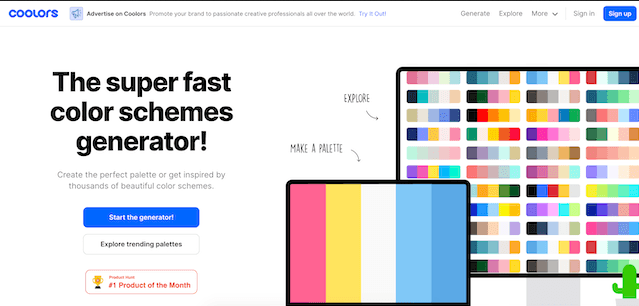
That is why specialized tools exist to help you choose a website color combination. For example, Coolors is one of the tools you need: it helps you obtain a ready-made color scheme and implement it on your website. It is that simple and appealing.
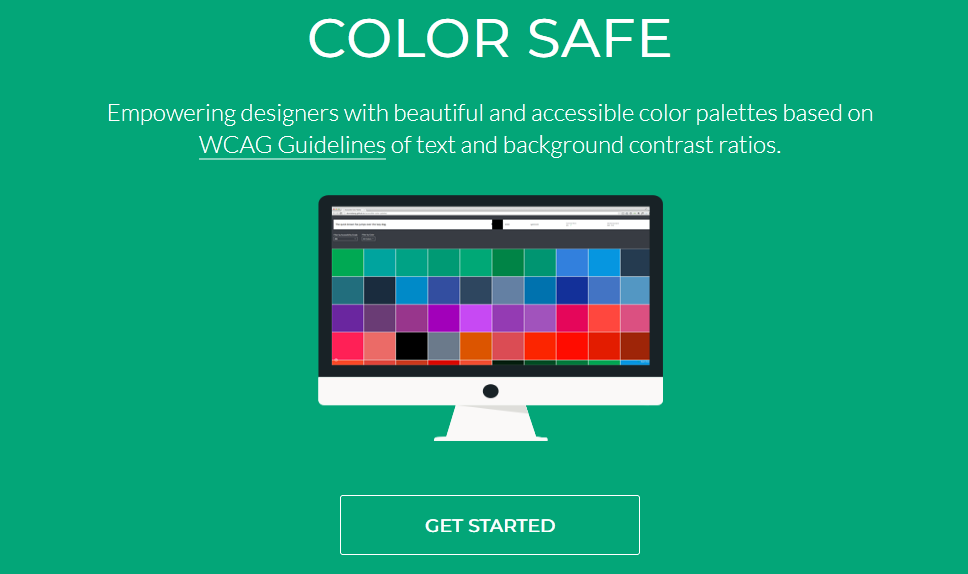
Another handy color-selection tool is the website Color Safe, which helps you generate colors of the kind you need and browse available options until one or two catch your eye. For example, this website makes it easy to find red and green shades that can form a basis for other colors.
At the final stage, after completing all your color choices and preparing the attractive website you want, it is time to check whether its color scheme has really turned out well.
This is where you can visit checkmycolours.com and enter your website’s address. It will analyze the site, give technical feedback, and tell you how suitable your color scheme is for people with color blindness or poor-quality displays.
A summary of how to choose website colors
Follow these steps when choosing colors for your website:
- Choose your primary color: select a color that matches the energy and style of your product or service.
- Choose your secondary colors: choose one or two secondary colors that complement your primary color. Ideally, they should make the primary color more eye-catching.
- Choose a background color: select a website background color that does not contrast completely with your primary color.
- Choose a font color: choose a text color that does not tire the viewer’s eyes. For example, black text on a white background is not a good choice because these colors are direct opposites.
Finally, do not worry about choosing the best color and the right combination for your website. There are websites that offer advice and guidance and make the choice easier. Some of these websites and tools include:
- The website Coolors is one of the tools you need to obtain a ready-made color scheme and implement it on your website.
- The website Color Safe helps you generate the kinds of colors you need and browse available options until one or two catch your eye.
- The website checkmycolours.com analyzes your website after you finish designing its color scheme and provides technical feedback.
Our final word is that we hope you find this article useful, and we would be happy for you to ask any unanswered questions in the comments below.