


Today, this element is used on all websites for audience convenience and to achieve rankings in Google’s search engine. In the rest of this article, we explain what breadcrumbs are and explore their different types.
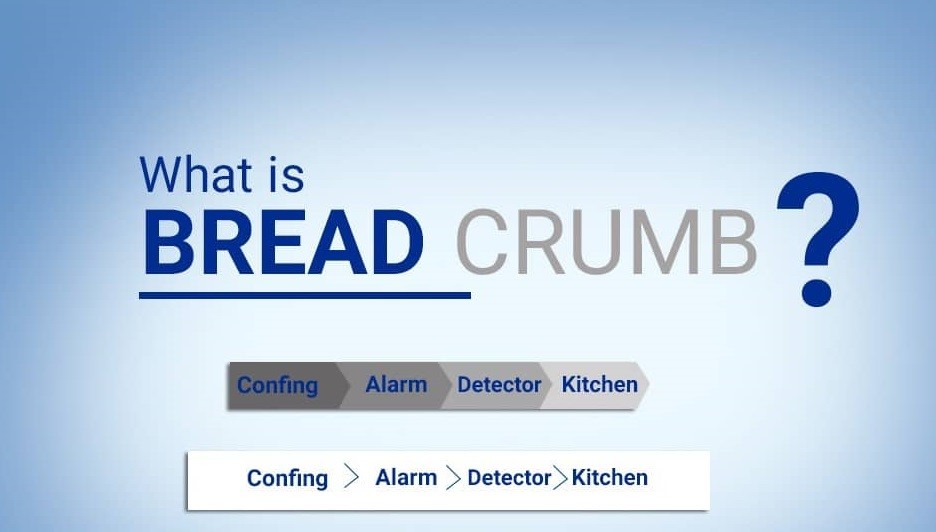
A Complete, Precise Definition of Breadcrumbs
What is a breadcrumb? Knowing how this English term is translated into Persian helps explain its meaning. In Persian, it means a route guide or indicator. This English word is unfamiliar to many internet users, even though it has a substantial effect on the quality of websites’ communication and service to their users.
When you enter different sections and pages of a website, a specific sequence of the sections and categories you have entered is displayed in order at the top of the site, beneath the header menu. This menu helps with navigation and often shows the route back from the current page to earlier pages and the home page. In fact, in addition to making the site easier to use, this tool improves its SEO and may even raise its rankings.
Breadcrumbs are website links that enable users and audiences to trace the location of different pages and their distance from a parent or main page. These links are usually placed beneath the website’s menu bar, or navigation bar.
Uses and Features of Breadcrumbs
Breadcrumbs provide a very useful user experience, or UX, feature: making a website easier to navigate. But their features and benefits do not stop there. According to the latest updates to Google’s algorithms, the importance of breadcrumbs has increased considerably, and they play a fundamental role in website SEO.
Other benefits of this valuable tool include:
- Making it easier for users to search the website they want
- Making it easier for Google to search and categorize the website
Types of Breadcrumbs
Contrary to the view of many users who think that breadcrumbs on websites are only route-finding aids, there are several different types, each with its own features and uses. Below, we examine the different types of breadcrumbs.
Location-Based Breadcrumbs
One of the most common types is the location-based breadcrumb. This type of indicator is used on many websites. Its structure shows the precise position of the page the user is on. At the top of the page, it shows users how to return to the home page. By clicking any of its links, users can easily return to previous pages of the website.

Attribute-Based Breadcrumbs (ATTRIBUTE)
This type of breadcrumb is often used on commercial and online shopping websites. With this tool, users need to apply different filters to find the section they want. For example, suppose you want to view rental property listings in Tehran’s District 12, in a price range of 1 to 3 million, on the official Sheypoor website. To do this, you first select the desired attributes. An attribute-based breadcrumb is then displayed so you can easily identify your selections and change them.
History- or Path-Based Breadcrumbs
This type of breadcrumb is used on relatively few websites. It allows website users to easily see the route they have taken within the site. However, it is an older, simpler version, and the location-based type has replaced it.

Checkout Breadcrumbs
This breadcrumb’s structure shows the user’s current position in the process of making a purchase on the website. It has little effect on website SEO, but a substantial effect on increasing sales. Checkout breadcrumbs make online stores easier to use and have a major impact on user satisfaction.
The Impact of Breadcrumbs on SEO
After learning what breadcrumbs are and how each type is used, it is helpful to understand their impact on SEO as well. Today, optimizing a website requires not only following SEO principles and recommendations but also using certain helpful, effective tools on the site. Breadcrumbs are one of the tools that affect website SEO and can play a positive role in user experience, or UX.
Google’s search bots enter a website and examine its sitemap to index its pages. If the sitemap has no problems, these bots can easily find their way and access the site’s content. This makes Google’s search engine more satisfied with your site and, as a result, increases your site’s ranking.
Reducing Bounce Rate
When a website has breadcrumb navigation, users entering it can easily find different subjects related to what interests them and move to other pages. In these circumstances, the user bounce rate decreases, which in turn has a positive impact on website SEO.
Improving Website User Experience (UX)
User experience, or UX, is one of the parameters affecting website SEO. One way to improve user experience is to use breadcrumbs. This tool prevents audiences from getting lost on large websites and makes the site easier to use by showing the position of the pages they have navigated through. Through its impact on UX, it can also positively affect the following:
- Increasing the time audiences spend on the website (time on site)
- Reducing bounce rate
- Strengthening branding through greater user interaction with the website

Internal Linking
One area in which breadcrumbs have a considerable impact is internal website linking. Link building itself has a major effect on website optimization and greatly helps increase visits. Because breadcrumbs have a link-based structure, they create internal links to different pages of the website. By default, all these links, or breadcrumbs, point to different pages through anchor text, meaning linked keywords, and thereby increase the strength of those pages for the relevant keywords.
Conclusion
Breadcrumbs are navigation links that are often displayed beneath the menu on online stores and other websites. Many websites with user-friendly templates use this tool so that users do not get lost when opening different sections and can return to previous pages. Using breadcrumbs both increases users’ satisfaction with the website and makes it easier for search engines to access its different sections. As a result, Google gives the website a better assessment, and its SEO improves significantly.